APTonCD 0.2 is on the way…
Posted in: Linux, APTonCD, Ubuntu
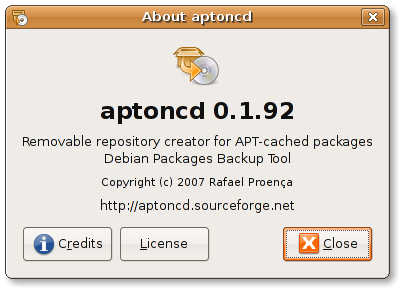
…actually I call it 0.1.92 version “Hey, look at me now, seems like someone here grew up, huh?!” or yet “Guess what?! I have some good news for you” 
If you don’t know what is aptoncd (/me wonders where have you been), take a look at the project page at sourceforge and launchpad.
Seems like some people thought we’ve sticked in the 0.1 version, but actually we’ve been working on the aptoncd 0.2 version since the first release. Fortunately now we have a lot of good news in result of a complete code and GUI rewrite we’ve working on in the last few months. APTonCD still doing exactly what it did before, but now more easy and intuitive than ever.
Laudeci is the python mage behind the code rewrite, he has implemented a lot of code improvements and organization to give a more efficient experience to user and a comfortable coding for us python-hackers.
I can’t tell you everything that was changed and included in aptoncd, I’d prefer you see it by yourself. Here is some of the highlights of this upcoming version:

As you can see, now we have a new logo, thanks to vdepizzol for the great artwork — Tango-ishier. Other artists are incentived to make theirs own modifications of the icon to fit with any icon set, by calling it ‘aptoncd’, and also if someone wants to make a kde-ish icon to their set of icons (cristal, oxygen, I don’t know) are welcome.
The main window now looks like this:
But more beautiful than the main window is the Create window:
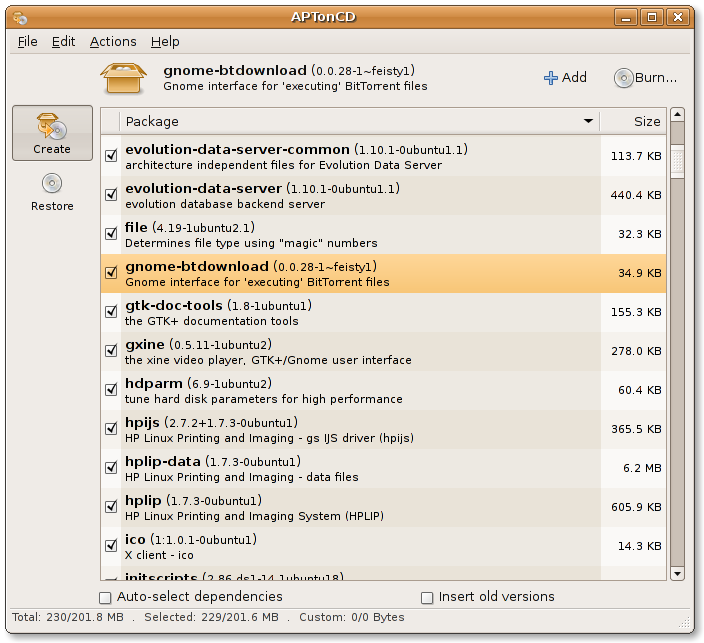
Notice that now aptoncd displays the information about the package in the treeview itself and a more detailed form in the header including the icon of the application if available:
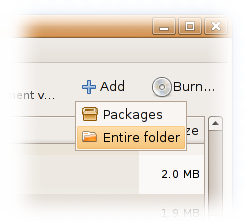
Now you can add custom packages separately or point an entire folder to scan packages on it:
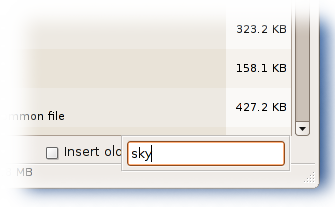
As expected you can find a package in the list just by start typing its name and it will find as-you-type:
What do you think of installing packages directly from the aptoncd interface? If you select a package that is not installed and if you have gdebi installed, aptoncd offers the option to install that package by calling gdebi to do it for you:
Know so little about a package? Don’t worry, aptoncd shows you everything you need to know about that package without compromising the interface and usability with the properties window:
That’s right, I’ve selected the packages you want to put in the medium and now it’s time to click on “Burn…” you will be taken to this dialog:
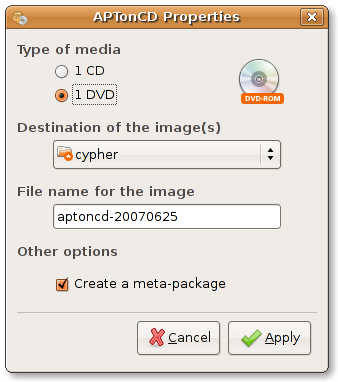
While you wait until everything is done, you will see this progress dialog, and now we can track the progress of the mkisofs (genisoimage):
In the Restore side we already have some good improvements, as you can see here:
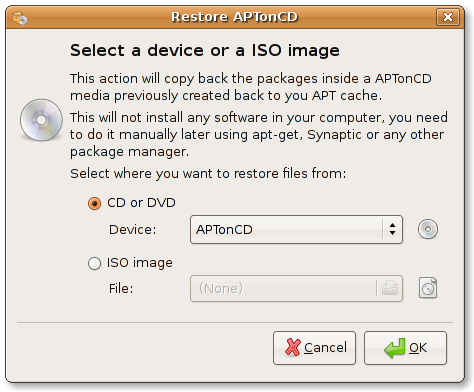
Well, that’s all I have time for. I’ll need to do more 3 or 4 posts to say half of the work we’ve done this last few months and keep you up-to-date.
Any comments, feedback, question are very appreciated. See you.
Return to: APTonCD 0.2 is on the way…
Social Web